This article was published in 2021. Platform features may have changed since then.
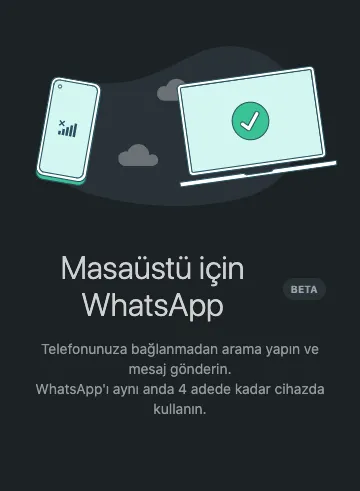
WhatsApp has always let you verify an account with only one number on one phone. Even if your phone has a dual SIM, you have to choose one of the numbers when you verify your WhatsApp account. For some time, users and businesses in particular have complained that the phone must stay on and connected to the internet, and that you can't be logged in on more than one device at the same time. WhatsApp use keeps growing, and the app has become part of our daily lives. In response, WhatsApp has released a BETA version and is testing a new feature called "Make calls and send messages without connecting to your phone." With this feature, you will be able to use WhatsApp on up to 4 devices at the same time.
Keep in mind that if you switch the devices you use your WhatsApp account on too often, you may eventually be blocked from verifying your account again. Please don't switch between different devices and numbers too frequently!
What about end-to-end encryption?
When you send a message to someone using WhatsApp Messenger, WhatsApp's end-to-end encryption kicks in. End-to-end encryption means that only you and the person you're communicating with can read or listen to what is sent. No one in between, including WhatsApp, can access it. This is because end-to-end encryption secures your messages with a lock, and the special key needed to unlock them and read them exists only on your device and the recipient's. It all happens automatically: you don't need to turn on any setting or create special secret chats to secure your messages. WhatsApp also states that encryption will continue in the BETA version being tested.
Limitations
Users testing the feature see this warning: "You can't call or message users who have an older version of WhatsApp on their phones from web, desktop or Portal devices. Performance and quality may be affected. You may run into other minor issues."
How do I link 4 devices at the same time?
In the WhatsApp app, open Linked Devices and confirm that you want to join the Multi-Device BETA program. Once you do, you will be logged out of all your current sessions and asked to verify again. After that, you can link 4 devices.